Tag: digital marketing services

  • WhatsApp

    WhatsApp

    WhatsApp के ज़रिए अपने customers तक सीधे पहुँचे। 🚀
    Digital Marketing services और WhatsApp API setup के साथ,
    TechSoftonics आपके business को customers से जोड़ना आसान बनाता है।

    Call/WhatsApp: +91 73768 28261

    Leave a Reply

    Your email address will not be published. Required fields are marked *

  • WhatsApp API Pricing 2025

    WhatsApp API Pricing 2025

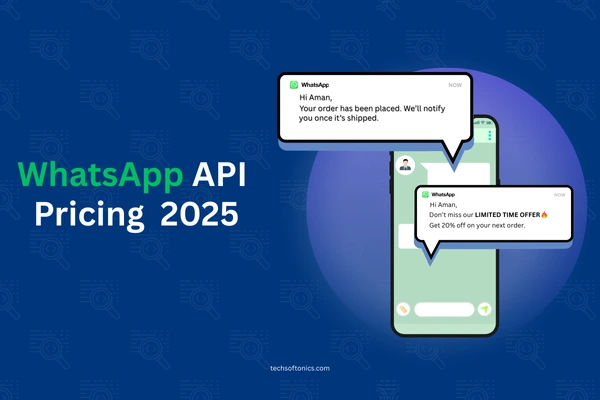
    📌 WhatsApp API Pricing 2025 – TechSoftonics Guide

    2025 में WhatsApp ने अपने Business API pricing में बड़ा बदलाव किया है — अब per-message billing model लागू है, conversation-based pricing की जगह.
    ये change marketing strategies और customer communication budgets के लिए काफी important है.


    🔹 Key Pricing Updates (1 July 2025 से)

    • Per-Message Billing – अब हर भेजे गए message का charge लगेगा, खासकर template messages के लिए.
    • 4 Categories – Marketing, Utility, Authentication, Service — हर category का अलग rate है.
    • Volume Discounts – ज़्यादा messages भेजने पर Utility और Authentication rates कम हो जाते हैं.
    • Unlimited Free Service Conversations – अब 1,000 limit नहीं, user-initiated chats free हैं.
    • Free Utility Templates – Service window के अंदर भेजे गए templates free.
    • Free Entry Point Window – Click-to-WhatsApp ads या Facebook CTA से आए leads पर 72 hours तक free templates.

    💰 Example Pricing – India (July 2025)

    CategoryPrice per Message
    Marketing₹0.8855
    Utility₹0.1265
    Authentication₹0.1320–₹0.1550
    ServiceFree

    📊 BSP vs Meta Cloud API Comparison

    FeatureBSP (Provider)Meta Cloud API
    BillingMarkup 12–35%No markup
    FeaturesCRM, automation, analyticsBasic API
    SetupEasy (BSP help)Self setup

    💡 TechSoftonics Pro Tip: “Strategic timing + free windows का smart use करके आप WhatsApp marketing cost में 40% तक बचत कर सकते हैं!”

    🚀 Grow Smarter with TechSoftonics – आज ही हमसे connect करें और WhatsApp API को अपने business के लिए optimize करें!

    Facebook Ads Manager for E-Commerce: A Strategic Guide: https://techsoftonics.com/facebook-ads-strategy-for-e-commerce/

  • How to Set Up Instagram Shopping for Your Brand?

    How to Set Up Instagram Shopping for Your Brand?

    How to Set Up Instagram Shopping for Your Brand?

    🛍️ 2025 में Instagram Shopping Set Up कैसे करें – आसान Guide by TechSoftonics

    Instagram सिर्फ photo sharing app नहीं रहा – अब ये एक complete eCommerce platform बन चुका है.
    अगर आप अपने products Instagram पे direct बेचकर conversions बढ़ाना चाहते हैं, तो ये step-by-step guide आपके लिए है.


    ✅ Step 1: Basic Requirements Check करें

    Instagram shopping enable करने से पहले ये सुनिश्चित करें:

    • आपका business एक supported country में है
    • आप physical products sell करते हैं
    • आपका account professional (Business या Creator) है
    • आप Instagram की Commerce Policies follow करते हैं

    ✅ Step 2: Facebook Commerce Account Create करें

    Meta Commerce Manager पर जाएं और:

    1. एक product catalog create करें
    2. अपने business की details add करें
    3. Facebook Page को Instagram से link करें
    4. Shipping और return policies mention करें

    ✅ Step 3: Product Catalog Upload करें

    Product catalog आप तीन तरीकों से upload कर सकते हैं:

    • Manual Upload
    • Data Feed (CSV/XML)
    • Shopify, WooCommerce जैसे platforms से direct integration

    🔍 TechSoftonics Tip: Product images high quality हों और description clear हो – इससे trust build होता है.


    ✅ Step 4: Enable Instagram Shopping

    1. Instagram app open करें
    2. Settings > Business > Instagram Shopping Set Up
    3. अपने Facebook Catalog को link करें
    4. Account review में जाए (2-5 दिन लग सकते हैं)
    5. Approval के बाद Shopping feature activate करें

    ✅ Step 5: Product Tagging Start करें

    अब आप:

    • Posts में products tag कर सकते हैं
    • Stories में product stickers use कर सकते हैं
    • Profile पे shop tab add कर सकते हैं
    • Shopping Ads run कर सकते हैं via Ads Manager

    💡 2025 के लिए TechSoftonics से Expert Tips:

    • Checkout option enable करें (जहां available हो)
    • Mobile-friendly और clean UI रखें
    • UGC (User Generated Content) का use करें
    • Reels और Stories में product tags डालें
    • TechSoftonics के experts से strategic setup लें

    📲 Instagram Shopping को smart तरीके से implement कीजिए – TechSoftonics आपकी मदद करेगा setup से लेकर optimization तक!
    Contact now for eCommerce integration & ad strategy support https://techsoftonics.com/


    ❓FAQs

    Q: क्या मुझे Instagram Shop के लिए website चाहिए?
    ➡️ हाँ, जब तक आप Instagram Checkout available region में नहीं हैं.

    Q: कितना time लगता है approval में?
    ➡️ 2–5 working days usually.

    Q: क्या मैं digital products बेच सकता हूँ?
    ➡️ नहीं, सिर्फ physical goods allow हैं.

  • How To Use The Right Hashtags For Instagram Marketing? – TechSoftonics Guide

    How To Use The Right Hashtags For Instagram Marketing? – TechSoftonics Guide

    How To Use The Right Hashtags For Instagram Marketing:

    आपका content कितना भी अच्छा क्यों ना हो, अगर आपने सही hashtags का इस्तेमाल नहीं किया — तो reach low ही रहेगी.
    Instagram में hashtags सिर्फ decoration नहीं, एक powerful discovery tool हैं.

    TechSoftonics लाया है 2025 के लिए एक smart hashtag strategy — जिससे aapke posts ज्यादा लोगों तक पहुंचेin organically.


    🔍 Why Hashtags Matter?

    ✅ Post visibility boost करते हैं
    ✅ New audience तक पहुंच बनाते हैं
    ✅ Niche community में brand introduce करते हैं
    ✅ Reels & Posts को viral होने का मौका मिलता है


    🧠 Hashtag Strategy by TechSoftonics

    1️⃣ Mix of Broad + Niche Hashtags

    Use करें:

    • ✅ 2–3 Broad hashtags (e.g., #BusinessTips)
    • ✅ 4–5 Niche hashtags (e.g., #DelhiBakery)
    • ✅ 2 Branded hashtags (e.g., #TechSoftonicsTips)

    2️⃣ Reels vs. Posts Hashtag Use

    🎥 Reels में 7–9 hashtags sufficient होते हैं
    📸 Posts में 15–20 hashtags use करें for max discoverability


    3️⃣ Create Your Own Branded Hashtag

    जैसे: #GrowWithTechSoftonics
    हर post में use करें — ताकि आपकी content library build हो जाए aur tracking आसान हो जाए


    4️⃣ Don’t Spam – Stay Relevant

    🔴 Irrelevant ya trending-only hashtags से बचें
    ✅ Har post ke topic से जुड़े hashtags use करें


    💼 TechSoftonics Services:

    ✅ Niche-specific hashtag bank
    ✅ Weekly hashtag performance tracking
    ✅ Branded hashtag setup
    ✅ Reels/post optimized for discoverability
    ✅ Insta audits for engagement improvement

    📲 Want to boost your organic reach using smart hashtags?
    Visit: www.techsoftonics.com


    ❓ FAQs

    Q1: क्या ज्यादा hashtags लगाने से ज्यादा reach मिलती है?
    ➡️ नहीं, सही aur relevant hashtags use करना ज़रूरी है, quantity नहीं.

    Q2: क्या TechSoftonics branded hashtags create karta hai?
    ➡️ Yes – हम aapke brand identity ke हिसाब से custom hashtag plan करते हैं.

    Q3: Hashtags को कहाँ use करें – caption या comments?
    ➡️ Caption में डालना ज़्यादा effective होता है in 2025.

  • Instagram Par Followers Kaise Badhayein – वो भी बिना Paise Kharch Kiye? | TechSoftonics Guide

    Instagram Par Followers Kaise Badhayein – वो भी बिना Paise Kharch Kiye? | TechSoftonics Guide

    How To Grow Your Instagram Followers?

    Aap ads nahi चला रहे? कोई बात नहीं!
    Organic growth आज भी possible है — बस strategy smart honi चाहिए.
    TechSoftonics aapko बताएगा वो तरीक़े jo 2025 mein kaam kar रहे हैं, jisse aap bina paisa kharch kiye apna audience base grow कर सकते हैं.


    🌱 Organic Growth Tips – By TechSoftonics

    1️⃣ Consistency is King (Daily content = Daily visibility)

    रोज़ कुछ ना कुछ post कीजिए — Reels, Stories, या Carousels.
    Algorithm unhi profiles ko push करता है jo active रहते हैं.


    2️⃣ Use Trendy Reels + Hashtags

    🎥 Trending audio + relatable content से Reels जल्दी viral होती हैं.
    📛 Hashtags mein mix रखें – branded, niche-specific, aur trending.


    3️⃣ Engage, Don’t Just Post

    🗣️ Dusron ke posts par comment karein
    💬 Stories ka reply dekar DM open karein
    📢 Followers ko tag karke feature karein

    Zyada interaction = Zyada algorithm love 💙


    4️⃣ Strong Bio & Highlight Setup

    📌 Bio clear ho: Aap kya karte hain + CTA (e.g., DM now)
    🌟 Highlights mein FAQs, reviews, services zaroor dikhayein


    5️⃣ Collabs aur Giveaways

    🤝 Similar niche ke creators ke साथ collab करें
    🎁 Monthly small giveaways plan करें – engagement boost होता है


    💼 TechSoftonics Services:

    ✅ Organic growth strategy plan
    ✅ Reels calendar + templates
    ✅ Bio + highlight optimization
    ✅ Hashtag research & DM automation
    ✅ Weekly growth insights

    📲 Grow organically with TechSoftonics today
    Visit: www.techsoftonics.com


    ❓ FAQs

    Q1: Kya bina ads ke followers बढ़ सकते हैं?
    ➡️ हां, बस content consistent और engaging होना चाहिए.

    Q2: Kya TechSoftonics hashtag aur caption help karta hai?
    ➡️ Yes – हम full content support देते हैं.

    Q3: Kitne time mein results aate hain?
    ➡️ Usually 30–45 days mein noticeable growth start हो जाती है.

  • Instagram Par Post Karne Ka Best Time Kya Hai? – TechSoftonics Ka Expert Guide

    Instagram Par Post Karne Ka Best Time Kya Hai? – TechSoftonics Ka Expert Guide

    Aapka content super creative hai, lekin agar aap गलत time par post कर रहे हैं — तो reach low ही रहेगी.
    Instagram par kab post karna chahiye? Yeh जानना उतना ही ज़रूरी है jitna achha content banana.

    TechSoftonics लाया है एक data-driven guide jisme हम बताएँगे:
    📈 Best times to post
    🕒 Weekdays vs weekends
    🧠 Audience behavior analysis


    🕓 Best Posting Times (Based on 2025 Trends)

    DayTime (IST)Why This Works
    Monday11 AM – 1 PMWork week की शुरुआत – लोग scroll करते हैं
    Tuesday9 AM – 11 AMProductive mood + engagement बढ़ता है
    Wednesday11 AM – 2 PMMid-week lull – high content consumption
    Thursday12 PM – 3 PMLunch-time scroll behavior
    Friday10 AM – 12 PMWeekend planning, light mood
    Saturday10 AM – 1 PMFree time, reels binge
    Sunday6 PM – 9 PMWeekend end – chill time, high engagement

    📊 Tips by TechSoftonics

    ✅ Reels subah ya raat ko post karein for viral potential
    ✅ Carousels afternoon mein perform करते हैं
    ✅ Stories पूरे दिन chhoti chhoti updates dene ke लिए best hain
    ✅ Use Instagram Insights to customize time per your audience


    💼 TechSoftonics Insta Optimization Services:

    ✅ Custom posting calendar
    ✅ Audience activity reports
    ✅ AI-based best-time analysis
    ✅ Reels + carousel scheduling
    ✅ WhatsApp integration for lead follow-up

    📲 Want to optimize your posting time for ज़्यादा reach aur better engagement?
    Visit: www.techsoftonics.com


    ❓ FAQs

    Q1: Kya fixed time par post karne से फर्क पड़ता है?
    ➡️ Bilkul! Timing se algorithm boost मिलता है aur ज़्यादा log content देखते हैं.

    Q2: Kya TechSoftonics best-time analysis karta hai?
    ➡️ हाँ, हम आपकी audience activity के हिसाब से ideal time track करते हैं.

    Q3: क्या paid promotion के बिना भी timing se reach बढ़ सकती है?
    ➡️ Yes – सही time par organic content post करके भी reach boost होती है.