Tag: techsoftonis

  • Building Chatbots with WhatsApp API: Tools and Tips

    Building Chatbots with WhatsApp API: Tools and Tips

    Building Chatbots with WhatsApp API: Tools and Tips

    Aaj ke time pe WhatsApp sirf ek messaging app nahi, balki ek powerful business automation tool ban chuka hai. Agar aap WhatsApp API ke saath chatbot integrate karte ho, to aap 24/7 customer support, instant replies aur sales automation ka fayda utha sakte ho.


    💡 Kyun Zaroori Hai WhatsApp Chatbot?

    • Instant jawab dena without wait.
    • FAQs ka automatic reply.
    • Leads ko filter karke sales team tak pahunchana.
    • Din raat customer support available rakhna.

    🛠 Popular Chatbot Tools

    Tool / PlatformFeaturesKiske Liye Best
    WATINo-code bot builder, CRM connectSmall businesses
    AiSensyBroadcast + APIMedium size businesses
    TwilioDeveloper friendly APIEnterprises
    360dialogOfficial BSPAll businesses

    ⚙ Steps to Build WhatsApp Chatbot

    Step 1: WhatsApp API Access lein (Meta Cloud API ya BSP se).
    Step 2: Chatbot platform choose karein (no-code ya custom API).
    Step 3: Conversation flow design karein (greeting, FAQs, fallback).
    Step 4: CRM connect karein (Zoho, HubSpot, Salesforce).
    Step 5: Test karein aur launch karein.


    🎯 Let’s Talk

    📢TechSoftonics ke saath apna WhatsApp API chatbot setup karein aur apne customers ko hamesha connected rakhein.
    👉 Contact Now : +91 73768 28261


  • WhatsApp for Business: Complete Guide to Implementation and Automation

    WhatsApp for Business: Complete Guide to Implementation and Automation

    WhatsApp for Business: Complete Guide to Implementation and Automation:

    WhatsApp को अपने business में कैसे implement और automate करें। TechSoftonics के साथ WhatsApp Business App और API का इस्तेमाल कर customer engagement और sales बढ़ाइए।


    📌 WhatsApp का Introduction

    WhatsApp दुनिया का सबसे popular messaging app है, Meta (पहले Facebook) द्वारा develop किया गया।
    2 अरब+ active users के साथ, ये सिर्फ personal chat नहीं बल्कि business communication का भी सबसे आसान तरीका है।

    TechSoftonics के साथ, आप WhatsApp का इस्तेमाल text, images, videos, docs, voice notes और video calls के लिए कर सकते हैं, वो भी पूरी तरह professional तरीके से।


    🔍 WhatsApp के Main Uses

    TypeFeatures
    Personal Communication– दोस्तों और परिवार से instant connect
    – Media और documents भेजना
    – Free voice & video calls
    Business Communication– ग्राहकों से direct संपर्क
    – Order confirmations और delivery updates
    – Customer support & feedback collection
    – Marketing campaigns & promotions

    🛠 Business में WhatsApp Implement करने के तरीके

    (a) WhatsApp Business App (Free)

    • For small businesses
    • Features: Quick replies, labels, catalog
    • Limitation: 1 device, manual messaging

    (b) WhatsApp Business API / Cloud API (Paid)

    • For medium & large businesses
    • Features: Bulk campaigns, automated alerts, CRM integration, multi-agent
    • Requirement: Business verification + API provider

    🤖 WhatsApp Automation कैसे करें

    StepActionDetails
    Step 1: API SetupMeta Cloud API या providersExample: Twilio, WATI, 360dialog; Business verification complete करें
    Step 2: Automation Tools Connect करेंCRM & PlatformsCRM: Zoho, HubSpot, SalesforceAutomation: WATI, AiSensy
    Step 3: Automation FeaturesImplement AutomationAuto-reply bots, Welcome messages, Order & payment notifications, Bulk campaigns
    Chat routing

    🎯 Benefits of WhatsApp Automation

    • Faster response time
    • Manual work कम
    • Better customer engagement
    • High sales conversion
    • 24/7 support

    📢 Pro Tip:
    Always WhatsApp की policies follow करें ताकि account ban न हो।


    ✅ Conclusion:
    WhatsApp अब सिर्फ chatting app नहीं — ये एक powerful business marketing और customer service platform है।

    Contact: +91 73768 28261
    TechSoftonics automation को सही tools और strategy के साथ implement करें और business को smart, fast और profitable बनाएं।

    Leave a Reply

    Your email address will not be published. Required fields are marked *

  • WhatsApp

    WhatsApp

    WhatsApp के ज़रिए अपने customers तक सीधे पहुँचे। 🚀
    Digital Marketing services और WhatsApp API setup के साथ,
    TechSoftonics आपके business को customers से जोड़ना आसान बनाता है।

    Call/WhatsApp: +91 73768 28261

    Leave a Reply

    Your email address will not be published. Required fields are marked *

  • WhatsApp API Pricing 2025

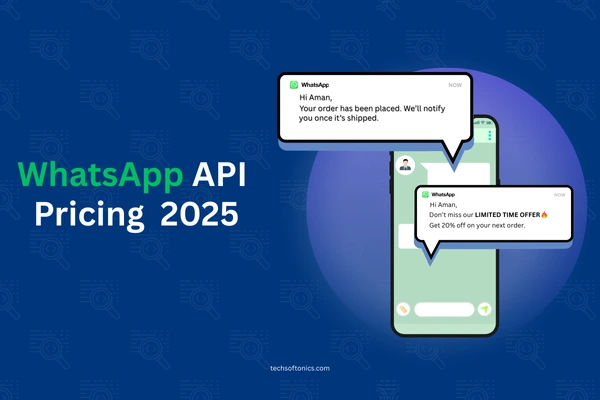
    WhatsApp API Pricing 2025

    📌 WhatsApp API Pricing 2025 – TechSoftonics Guide

    2025 में WhatsApp ने अपने Business API pricing में बड़ा बदलाव किया है — अब per-message billing model लागू है, conversation-based pricing की जगह.
    ये change marketing strategies और customer communication budgets के लिए काफी important है.


    🔹 Key Pricing Updates (1 July 2025 से)

    • Per-Message Billing – अब हर भेजे गए message का charge लगेगा, खासकर template messages के लिए.
    • 4 Categories – Marketing, Utility, Authentication, Service — हर category का अलग rate है.
    • Volume Discounts – ज़्यादा messages भेजने पर Utility और Authentication rates कम हो जाते हैं.
    • Unlimited Free Service Conversations – अब 1,000 limit नहीं, user-initiated chats free हैं.
    • Free Utility Templates – Service window के अंदर भेजे गए templates free.
    • Free Entry Point Window – Click-to-WhatsApp ads या Facebook CTA से आए leads पर 72 hours तक free templates.

    💰 Example Pricing – India (July 2025)

    CategoryPrice per Message
    Marketing₹0.8855
    Utility₹0.1265
    Authentication₹0.1320–₹0.1550
    ServiceFree

    📊 BSP vs Meta Cloud API Comparison

    FeatureBSP (Provider)Meta Cloud API
    BillingMarkup 12–35%No markup
    FeaturesCRM, automation, analyticsBasic API
    SetupEasy (BSP help)Self setup

    💡 TechSoftonics Pro Tip: “Strategic timing + free windows का smart use करके आप WhatsApp marketing cost में 40% तक बचत कर सकते हैं!”

    🚀 Grow Smarter with TechSoftonics – आज ही हमसे connect करें और WhatsApp API को अपने business के लिए optimize करें!

    Facebook Ads Manager for E-Commerce: A Strategic Guide: https://techsoftonics.com/facebook-ads-strategy-for-e-commerce/

  • How to Set Up Instagram Shopping for Your Brand?

    How to Set Up Instagram Shopping for Your Brand?

    How to Set Up Instagram Shopping for Your Brand?

    🛍️ 2025 में Instagram Shopping Set Up कैसे करें – आसान Guide by TechSoftonics

    Instagram सिर्फ photo sharing app नहीं रहा – अब ये एक complete eCommerce platform बन चुका है.
    अगर आप अपने products Instagram पे direct बेचकर conversions बढ़ाना चाहते हैं, तो ये step-by-step guide आपके लिए है.


    ✅ Step 1: Basic Requirements Check करें

    Instagram shopping enable करने से पहले ये सुनिश्चित करें:

    • आपका business एक supported country में है
    • आप physical products sell करते हैं
    • आपका account professional (Business या Creator) है
    • आप Instagram की Commerce Policies follow करते हैं

    ✅ Step 2: Facebook Commerce Account Create करें

    Meta Commerce Manager पर जाएं और:

    1. एक product catalog create करें
    2. अपने business की details add करें
    3. Facebook Page को Instagram से link करें
    4. Shipping और return policies mention करें

    ✅ Step 3: Product Catalog Upload करें

    Product catalog आप तीन तरीकों से upload कर सकते हैं:

    • Manual Upload
    • Data Feed (CSV/XML)
    • Shopify, WooCommerce जैसे platforms से direct integration

    🔍 TechSoftonics Tip: Product images high quality हों और description clear हो – इससे trust build होता है.


    ✅ Step 4: Enable Instagram Shopping

    1. Instagram app open करें
    2. Settings > Business > Instagram Shopping Set Up
    3. अपने Facebook Catalog को link करें
    4. Account review में जाए (2-5 दिन लग सकते हैं)
    5. Approval के बाद Shopping feature activate करें

    ✅ Step 5: Product Tagging Start करें

    अब आप:

    • Posts में products tag कर सकते हैं
    • Stories में product stickers use कर सकते हैं
    • Profile पे shop tab add कर सकते हैं
    • Shopping Ads run कर सकते हैं via Ads Manager

    💡 2025 के लिए TechSoftonics से Expert Tips:

    • Checkout option enable करें (जहां available हो)
    • Mobile-friendly और clean UI रखें
    • UGC (User Generated Content) का use करें
    • Reels और Stories में product tags डालें
    • TechSoftonics के experts से strategic setup लें

    📲 Instagram Shopping को smart तरीके से implement कीजिए – TechSoftonics आपकी मदद करेगा setup से लेकर optimization तक!
    Contact now for eCommerce integration & ad strategy support https://techsoftonics.com/


    ❓FAQs

    Q: क्या मुझे Instagram Shop के लिए website चाहिए?
    ➡️ हाँ, जब तक आप Instagram Checkout available region में नहीं हैं.

    Q: कितना time लगता है approval में?
    ➡️ 2–5 working days usually.

    Q: क्या मैं digital products बेच सकता हूँ?
    ➡️ नहीं, सिर्फ physical goods allow हैं.

  • How To Use The Right Hashtags For Instagram Marketing? – TechSoftonics Guide

    How To Use The Right Hashtags For Instagram Marketing? – TechSoftonics Guide

    How To Use The Right Hashtags For Instagram Marketing:

    आपका content कितना भी अच्छा क्यों ना हो, अगर आपने सही hashtags का इस्तेमाल नहीं किया — तो reach low ही रहेगी.
    Instagram में hashtags सिर्फ decoration नहीं, एक powerful discovery tool हैं.

    TechSoftonics लाया है 2025 के लिए एक smart hashtag strategy — जिससे aapke posts ज्यादा लोगों तक पहुंचेin organically.


    🔍 Why Hashtags Matter?

    ✅ Post visibility boost करते हैं
    ✅ New audience तक पहुंच बनाते हैं
    ✅ Niche community में brand introduce करते हैं
    ✅ Reels & Posts को viral होने का मौका मिलता है


    🧠 Hashtag Strategy by TechSoftonics

    1️⃣ Mix of Broad + Niche Hashtags

    Use करें:

    • ✅ 2–3 Broad hashtags (e.g., #BusinessTips)
    • ✅ 4–5 Niche hashtags (e.g., #DelhiBakery)
    • ✅ 2 Branded hashtags (e.g., #TechSoftonicsTips)

    2️⃣ Reels vs. Posts Hashtag Use

    🎥 Reels में 7–9 hashtags sufficient होते हैं
    📸 Posts में 15–20 hashtags use करें for max discoverability


    3️⃣ Create Your Own Branded Hashtag

    जैसे: #GrowWithTechSoftonics
    हर post में use करें — ताकि आपकी content library build हो जाए aur tracking आसान हो जाए


    4️⃣ Don’t Spam – Stay Relevant

    🔴 Irrelevant ya trending-only hashtags से बचें
    ✅ Har post ke topic से जुड़े hashtags use करें


    💼 TechSoftonics Services:

    ✅ Niche-specific hashtag bank
    ✅ Weekly hashtag performance tracking
    ✅ Branded hashtag setup
    ✅ Reels/post optimized for discoverability
    ✅ Insta audits for engagement improvement

    📲 Want to boost your organic reach using smart hashtags?
    Visit: www.techsoftonics.com


    ❓ FAQs

    Q1: क्या ज्यादा hashtags लगाने से ज्यादा reach मिलती है?
    ➡️ नहीं, सही aur relevant hashtags use करना ज़रूरी है, quantity नहीं.

    Q2: क्या TechSoftonics branded hashtags create karta hai?
    ➡️ Yes – हम aapke brand identity ke हिसाब से custom hashtag plan करते हैं.

    Q3: Hashtags को कहाँ use करें – caption या comments?
    ➡️ Caption में डालना ज़्यादा effective होता है in 2025.